

https://<org>.mcp.credibledata.com/mcp.
This page documents the consumption MCP server used by LLMs, workspace chat, and custom agents. The Credible-Modeling MCP server used by coding agents for building models is a separate, auto-configured server — see Local Development.
Core Tools
get_context
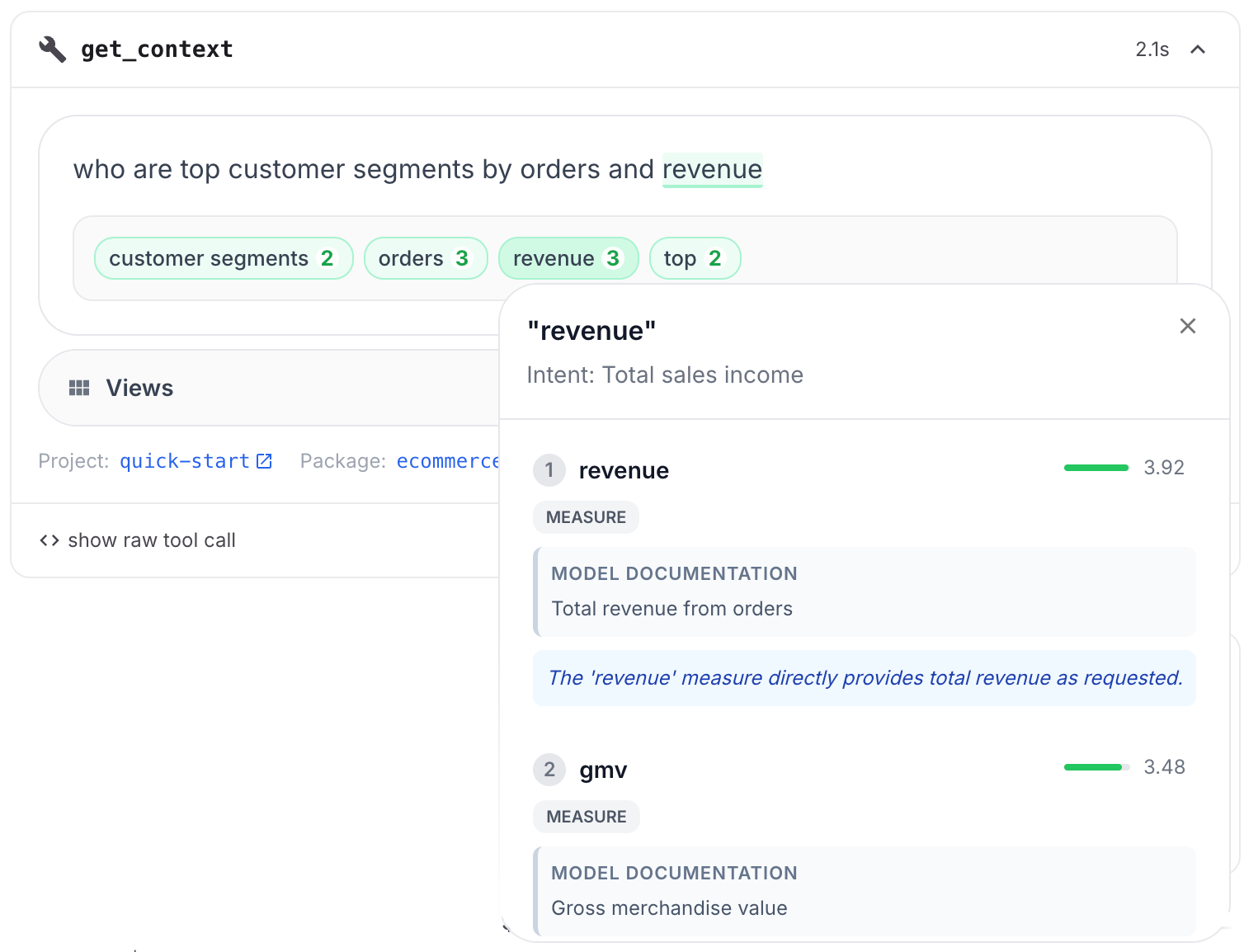
Parses a natural language question into semantic phrases, then matches each phrase to data entities in your published semantic models. Matches are grounded in the#(doc) descriptions and #(index) annotations declared in your model — the richer your documentation, the better the matches.
This is the core retrieval tool powering Credible’s Credible Context Engine.
How it works:
- Phrase extraction — An LLM parses your input into semantic phrases (e.g., “top selling brands by month” becomes phrases like “top selling”, “brands”, “by month”)
- Entity matching — Each phrase is matched against your model’s indexed metadata using embedding-based semantic search. This searches
#(doc)descriptions, field names, and#(index)dimensional values. Matching is semantic, not exact — for example, “soccer games” can match a program titled “World Cup Finals” via indexed values and a genre of “Sports” via doc tags - Ranked results — Returns matched entities (dimensions, measures, views, columns) grouped by phrase, sorted by match score
natural_language_query(required): The user’s question in natural language (e.g., “What were our top-selling products last year?”)environment_name(optional): Environment name to search within. Only use if known from context.package_name(optional): Package name to narrow search scope. Requiresenvironment_name.model_uri(optional): Path to a specific.malloymodel file. Requiresenvironment_nameandpackage_name.source_name(optional): Specific source within a model. Requiresenvironment_name,package_name, andmodel_uri.
environment_name → package_name → model_uri → source_name
Scope Strategy: Start broad when uncertain, narrow as you discover structure. If results are insufficient, widen scope by removing parameters from right to left.
Response:
sources: Array of matched sources, each containing:phrases: Matched phrases from your input, each with:phrase: The extracted phrase textphrase_description: Extended description of the phraseoverall_score: Match confidence scoreentities: Matched data entities (dimensions, measures, views, columns) withname,field_type,data_type,description,score,match_reason, andvalues(for dimensions with indexed values)
next_steps: Instructions for writing Malloy queries using the returned entitiesmalloy_documentation: Malloy syntax reference and common error patterns
execute_query
Executes Malloy queries against published data models and returns JSON results. Parameters:environment_name(required): Environment containing the modelpackage_name(required): Package containing the modelmodel_uri(required): Path to the.malloymodel filequery(optional)*: Custom Malloy query code. Do NOT providesource_namewhen using this.query_name(optional)*: Name of predefined query/view to executesource_name(optional)*: Source name. Required when usingquery_name, omit when using customquery.version_id(optional): Specific package version to query against
- Custom query: Provide
queryparameter only - Predefined query: Provide both
query_nameandsource_name
data, totalRows, executionTime, and metadata
Workspace Scoping
The MCP server URL can optionally be workspace-scoped by appending/workspace/{workspace_name} to the URL. This restricts analysis to only the packages available in a specific workspace, rather than searching across all environments.
- Environment-scoped (default):
https://<org>.mcp.credibledata.com/mcp - Workspace-scoped:
https://<org>.mcp.credibledata.com/mcp/workspace/{workspace_name}
Authentication
The MCP server supports two authentication methods:- OAuth 2.0: For connecting AI assistants like Claude Desktop or ChatGPT. See LLMs and MCP Tools.
- API Key: For building custom agents with server-to-server communication. Pass as
Authorization: ApiKey YOUR_API_KEYheader. See Custom AI Agents.
https://<org>.mcp.credibledata.com/mcp