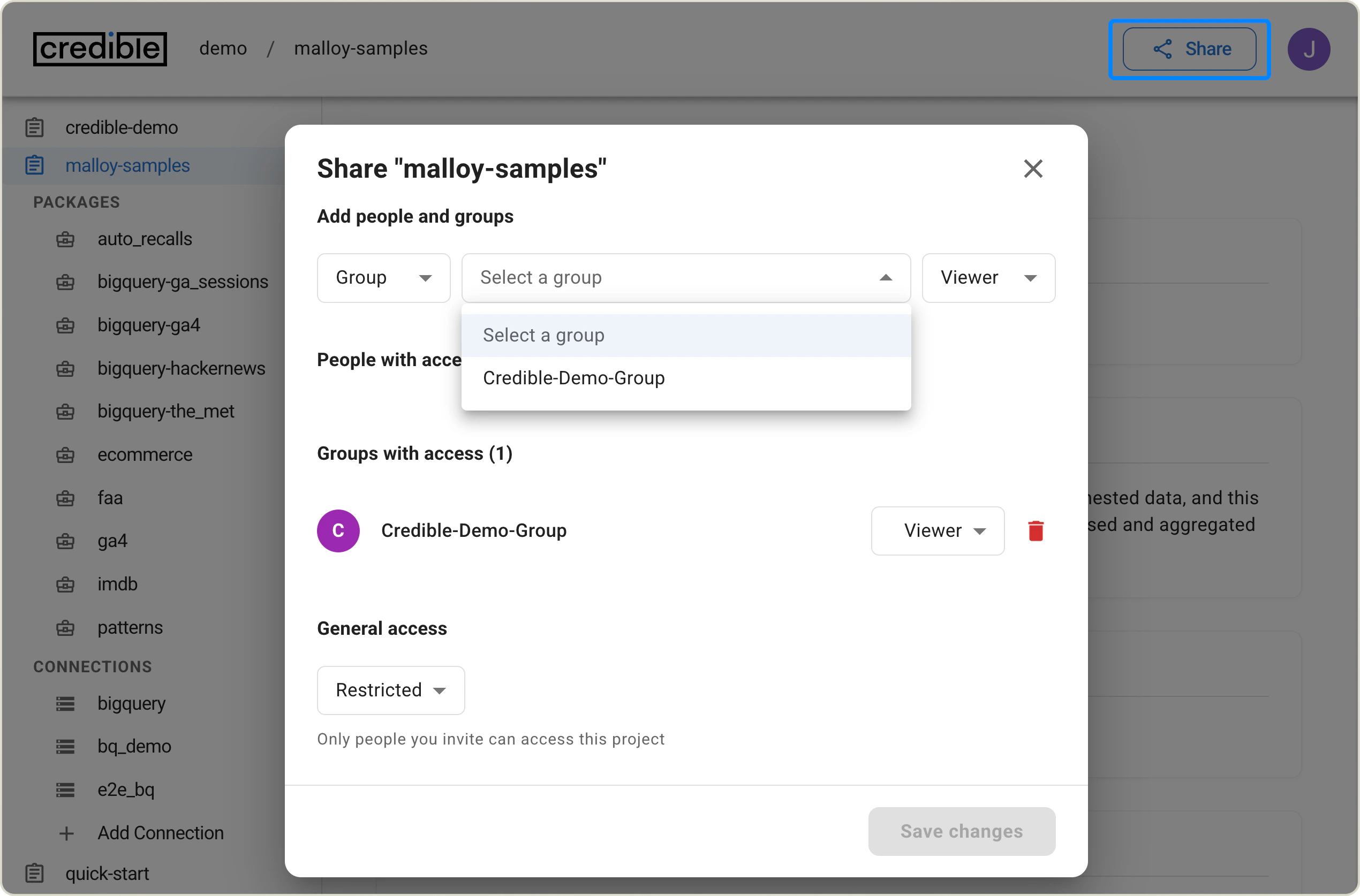
This guide walks you through setting up a complete CI/CD pipeline that automatically detects package changes, bumps versions, and publishes to the Credible platform.

Overview

This CI/CD pipeline automatically:
  • Detects changes to packages in your repository
  • Bumps package versions following semantic versioning
  • Commits version changes back to your repository
  • Publishes packages to the Credible platform
The pipeline consists of three main components:
  1. Detection: Identifies which packages have changed
  2. Versioning: Automatically increments package versions
  3. Publishing: Deploys packages to Credible

Prerequisites

Before starting, ensure you have:
  • A GitHub repository with packages organized under a packages/ directory
  • Admin access to the repository
  • Access to a Credible organization and project

Repository Structure

Your repository should follow this structure:
your-repo/
├── .github/
│   └── workflows/
│       ├── deploy.yml
│       ├── bump-package-versions.yml
│       └── publish-packages.yml
├── packages/
│   ├── package-one/
│   │   ├── publisher.json
│   │   └── [your package files]
│   ├── package-two/
│   │   ├── publisher.json
│   │   └── [your package files]
│   └── ...
└── scripts/
    ├── detect_changed_packages.py
    ├── bump_versions.py
    └── cred_publish.sh

Package Structure

Each package must have a publisher.json file with this minimum structure:
{
  "name": "your-package-name",
  "version": "0.0.0",
  "description": "Package description"
}

Setup Steps

Step 1: Create Required Scripts

Create a scripts/ directory in your repository root and add three essential scripts.

Script 1: detect_changed_packages.py

This script detects which packages have changed between commits and identifies packages that already had their version bumped.
#!/usr/bin/env python3
import subprocess, sys
from pathlib import Path

def run(cmd):
    return subprocess.run(cmd, stdout=subprocess.PIPE, stderr=subprocess.PIPE, text=True, check=False)

def git_diff_names(base, head):
    """Return all changed file paths between two commits."""
    r = run(["git", "diff", "--name-only", f"{base}..{head}"])
    if r.returncode != 0:
        return []
    return [l.strip() for l in r.stdout.splitlines() if l.strip()]

def find_package_root(file_path: Path) -> Path | None:
    """
    Walk up from file path to find the directory containing publisher.json.
    Returns the package root directory or None if not found.
    """
    current = file_path.parent if file_path.is_file() else file_path
    
    # Walk up the directory tree
    while len(current.parts) > 0:
        publisher = current / "publisher.json"
        if publisher.exists():
            return current
        
        # Stop if we've left the packages directory
        if "packages" not in current.parts:
            break
            
        # Move up one level
        current = current.parent
    
    return None

def publisher_version_changed(pkg_dir: Path, base: str, head: str) -> bool:
    """Check if publisher.json diff contains a 'version' key change."""
    p = pkg_dir / "publisher.json"
    if not p.exists():
        return False

    r = run(["git", "diff", f"{base}..{head}", "--", str(p)])
    if r.returncode != 0 or not r.stdout.strip():
        return False

    for line in r.stdout.splitlines():
        if line.strip().startswith(("+", "-")) and '"version"' in line:
            return True
    return False

def main():
    base = sys.argv[1] if len(sys.argv) > 1 else ""
    head = sys.argv[2] if len(sys.argv) > 2 else "HEAD"

    if not base or base == "0000000000000000000000000000000000000000":
        run(["git", "fetch", "--no-tags", "--prune", "origin", "+refs/heads/*:refs/remotes/origin/*"])
        mb = run(["git", "merge-base", head, "origin/main"]).stdout.strip()
        base = mb if mb else head + "^"

    changed = git_diff_names(base, head)

    pkgs = set()
    for f in changed:
        if f.startswith("packages/"):
            file_path = Path(f)
            
            # Find the package root by looking for publisher.json
            pkg_root = find_package_root(file_path)
            
            if pkg_root:
                print(f"[detected] {f} → package: {pkg_root}")
                pkgs.add(pkg_root)
            else:
                print(f"[skip] {f} → no publisher.json found in parent directories")

    to_bump, already_bumped = [], []

    for pkg_dir in sorted(pkgs):
        if publisher_version_changed(pkg_dir, base, head):
            print(f"[skip bump] {pkg_dir}: version change detected in publisher.json")
            already_bumped.append(str(pkg_dir))
        else:
            to_bump.append(str(pkg_dir))

    print(f"TO_BUMP={' '.join(to_bump)}")
    print(f"ALREADY_BUMPED={' '.join(already_bumped)}")

if __name__ == "__main__":
    main()
Make it executable:
chmod +x scripts/detect_changed_packages.py

Script 2: bump_versions.py

This script automatically increments the patch version of packages and updates their publisher.json files.
#!/usr/bin/env python3
import json, sys
from pathlib import Path

def bump_patch(v: str) -> str:
    """Tolerant semver bump: x[.y[.z]] → bump patch"""
    parts = v.split(".")
    if not all(p.isdigit() for p in parts if p):
        raise ValueError(f"Invalid semver: {v}")
    while len(parts) < 3:
        parts.append("0")
    parts = [int(p) for p in parts[:3]]
    parts[2] += 1
    return ".".join(str(x) for x in parts)

def main():
    if len(sys.argv) < 2:
        print("ERROR: No package directories specified.", file=sys.stderr)
        sys.exit(1)

    results = []
    for pkg_dir in sys.argv[1:]:
        pkg = Path(pkg_dir)
        if not pkg.exists():
            print(f"ERROR: Package directory not found: {pkg_dir}", file=sys.stderr)
            continue

        p = pkg / "publisher.json"
        if p.exists():
            try:
                data = json.loads(p.read_text())
            except Exception as e:
                print(f"ERROR: Failed to parse {p}: {e}", file=sys.stderr)
                sys.exit(1)
        else:
            data = {"name": pkg.name, "version": "0.0.0", "description": ""}
        
        cur_version = str(data.get("version", "0.0.0"))
        try:
            new_version = bump_patch(cur_version)
        except ValueError as e:
            print(f"ERROR: {e} in {pkg_dir}", file=sys.stderr)
            sys.exit(1)

        data["version"] = new_version
        data.setdefault("name", pkg.name)
        p.write_text(json.dumps(data, indent=2) + "\n")

        results.append(f"{pkg_dir}|{data['name']}|{new_version}")

    output = " ".join(results).strip()
    print(output)

if __name__ == "__main__":
    main()
Make it executable:
chmod +x scripts/bump_versions.py

Script 3: cred_publish.sh

This script handles publishing packages to the Credible platform with retry logic and error handling.
#!/usr/bin/env bash
set -Eeuo pipefail

usage() {
  cat << EOF
Usage: $0-o <org> -P <project> -a <access_token> -p <packages> [-L]

Required:
  -o  Organization name
  -P  Project name
  -a  Access token
  -p  Packages to publish (space-separated: "path|name|version path|name|version")

Optional:
  -L  Pass --set-latest to 'cred publish'

Examples:
  $0 -o myorg -P myproj -a token123 -p "packages/auth|auth|1.0.1"
  $0 -o myorg -P myproj -a token123 -p "packages/auth|auth|1.0.1 packages/billing|billing|2.0.0" -L
EOF
  exit 1
}

ORGANIZATION_NAME=""
PROJECT_NAME=""
ACCESS_TOKEN=""
PACKAGES=""
SET_LATEST=false

while getopts ":e:o:P:a:p:L" opt; do
  case "$opt" in
    o) ORGANIZATION_NAME="$OPTARG" ;;
    P) PROJECT_NAME="$OPTARG" ;;
    a) ACCESS_TOKEN="$OPTARG" ;;
    p) PACKAGES="$OPTARG" ;;
    L) SET_LATEST=true ;;
    *) usage ;;
  esac
done

if [[ -z "$ORGANIZATION_NAME" || -z "$PROJECT_NAME" || -z "$ACCESS_TOKEN" || -z "$PACKAGES" ]]; then
  usage
fi

if ! command -v cred >/dev/null 2>&1; then
  echo "[setup] Installing Credible CLI..."
  npm install -g @ms2data/cred-cli
fi

echo "[setup] Organization: $ORGANIZATION_NAME"
echo "[setup] Project: $PROJECT_NAME"

# Set access token
cred set-access-token "$ACCESS_TOKEN" -o "$ORGANIZATION_NAME"

# Set default project
cred set project "$PROJECT_NAME"

# Sanity check
echo "[setup] Verifying credentials..."
if ! cred status; then
  echo "[error] Failed to authenticate with Credible CLI"
  exit 1
fi

echo "[setup] Setup complete!"
echo ""

published_count=0
skipped_count=0
failed_count=0
failed_packages=""
max_attempts=3

for item in $PACKAGES; do
  IFS="|" read -r path name version <<< "$item"
  
  echo "════════════════════════════════════════════════"
  echo "Package: $name@$version"
  echo "Path: $path"
  echo "════════════════════════════════════════════════"
  
  # Validate package directory
  if [ ! -d "$path" ]; then
    echo "[error] Package directory does not exist: $path"
    failed_count=$((failed_count + 1))
    failed_packages="$failed_packages $name@$version"
    echo ""
    continue
  fi
  
  # Validate publisher.json
  if [ ! -f "$path/publisher.json" ]; then
    echo "[error] No publisher.json found in: $path"
    failed_count=$((failed_count + 1))
    failed_packages="$failed_packages $name@$version"
    echo ""
    continue
  fi
  
  # Change to package directory
  pushd "$path" >/dev/null
  
  # Verify version matches
  actual_version=$(jq -r '.version' publisher.json 2>/dev/null || echo "unknown")
  actual_name=$(jq -r '.name' publisher.json 2>/dev/null || echo "$(basename $path)")
  
  if [ "$actual_version" != "$version" ]; then
    echo "[warning] Version mismatch!"
    echo "  Expected: $version"
    echo "  Found in publisher.json: $actual_version"
    echo "  Using actual version: $actual_version"
    version="$actual_version"
  fi
  
  # Retry loop for this package
  attempt=1
  package_published=false
  
  while [ $attempt -le $max_attempts ]; do
    echo "[publish] Attempt $attempt of $max_attempts for $name@$version"
    
    # Create temporary file for capturing output
    PUBLISH_LOG=$(mktemp)
    
    # Attempt to publish
    PUBLISH_EXIT_CODE=0
    if $SET_LATEST; then
      echo "[publish] Using --set-latest flag"
      cred publish --yes --set-latest 2>&1 | tee "$PUBLISH_LOG" || PUBLISH_EXIT_CODE=$?
    else
      cred publish --yes 2>&1 | tee "$PUBLISH_LOG" || PUBLISH_EXIT_CODE=$?
    fi
    
    # Check if version already exists FIRST (before checking exit code)
    if grep -qiE "version already exists|VersionId already exists" "$PUBLISH_LOG"; then
      echo "[warning] ⚠️  Package $name@$version already exists. Skipping."
      echo "[info] The package was likely published manually or in a previous run."
      skipped_count=$((skipped_count + 1))
      package_published=true
      rm -f "$PUBLISH_LOG"
      break
    fi

    if grep -qiE "Failed to publish package|Unauthorized" "$PUBLISH_LOG"; then
      # Failed - check if we should retry
      echo "[error] ❌ Publish attempt $attempt failed for $name@$version"
      
      # Show error details on final attempt
      if [ $attempt -eq $max_attempts ]; then
        echo "[error] Final attempt failed. Error details:"
        grep -iE "error|failed" "$PUBLISH_LOG" || cat "$PUBLISH_LOG"
        echo "[error] ❌ Failed to publish $name@$version after $max_attempts attempts"
        failed_count=$((failed_count + 1))
        failed_packages="$failed_packages $name@$version"
      fi
      
      rm -f "$PUBLISH_LOG"
      
      # Wait before retry (if not final attempt)
      if [ $attempt -lt $max_attempts ]; then
        echo "[retry] Waiting 5s before retry..."
        sleep 5
      fi
      
      attempt=$((attempt + 1))
      continue
    fi

    # Success case
    if [ $PUBLISH_EXIT_CODE -eq 0 ]; then
      echo "[success] ✅ Published $name@$version successfully"
      published_count=$((published_count + 1))
      package_published=true
      rm -f "$PUBLISH_LOG"
      break
    fi
  done

  popd >/dev/null
  echo ""
done

echo "════════════════════════════════════════════════"
echo "PUBLISH SUMMARY"
echo "════════════════════════════════════════════════"
echo "Total packages:        $((published_count + skipped_count + failed_count))"
echo "✅ Published:          $published_count"
echo "⚠️  Skipped (exists):   $skipped_count"
echo "❌ Failed:             $failed_count"

if [ -n "$failed_packages" ]; then
  echo ""
  echo "Failed packages:$failed_packages"
fi

echo "════════════════════════════════════════════════"

# Exit with appropriate code
if [ $failed_count -gt 0 ]; then
  echo "[error] Some packages failed to publish"
  exit 1
fi

if [ $published_count -eq 0 ] && [ $skipped_count -eq 0 ]; then
  echo "[warning] No packages were published"
  exit 0
fi

echo "[success] All packages processed successfully!"
exit 0
Make it executable:
chmod +x scripts/cred_publish.sh

Step 2: Configure GitHub App

To allow the CI/CD bot to commit version bumps back to your repository, create a GitHub App.

Create GitHub App

  1. Go to your GitHub organization settings
  2. Navigate to SettingsDeveloper settingsGitHub AppsNew GitHub App
  3. Configure the app:
    • GitHub App name: credible-cicd-bot (or your preferred name)
    • Homepage URL: Your organization URL
    • Webhook: Uncheck “Active”
  4. Set Repository permissions:
    • Contents: Read and write
    • Pull requests: Read and write
    • Metadata: Read-only
  5. Where can this GitHub App be installed?: “Only on this account”
  6. Click Create GitHub App

Generate Private Key

  1. After creating the app, scroll to Private keys
  2. Click Generate a private key
  3. Save the downloaded .pem file securely

Install the App

  1. Go to Install App in the left sidebar
  2. Click Install next to your organization
  3. Select Only select repositories and choose your repository
  4. Click Install

Note the App ID

Go back to your app’s settings and note the App ID at the top of the page.

Step 3: Configure Repository Secrets

Navigate to your repository: SettingsSecrets and variablesActionsNew repository secret Add these secrets:
Secret NameValue
CICD_BOT_APP_IDThe App ID from your GitHub App
CICD_BOT_APP_PRIVATE_KEYThe entire contents of the .pem file (including BEGIN/END lines)
JWT_ACCESS_TOKENYour Credible platform JWT access token
To obtain your Credible JWT access token, you can generate an API token using the CLI command cred add group-access-token or log into your Credible account and generate an API token from your account settings. See the CLI documentation for detailed instructions on creating group access tokens.

Step 4: Configure Repository Variables

Navigate to: SettingsSecrets and variablesActionsVariablesNew repository variable Add these variables:
Variable NameValueDescription
CRED_ORGYour Credible organization nameRequired
CRED_PROJECTYour Credible project nameRequired
SET_LATESTtrue or falseOptional, defaults to true
Set SET_LATEST to false if you don’t want to mark published versions as latest.

Step 5: Configure Branch Protection

Configure branch protection for your main branch to work with the CI/CD bot.

Enable Branch Protection

  1. Go to SettingsBranches
  2. Click Add branch protection rule
  3. In Branch name pattern, enter: main

Configure Protection Settings

Enable these settings: Pull Request Settings
  • Allow merge commits
  • Allow rebase merging
Bypass Settings
  • Allow specified actors to bypass required pull requests
    • Add: credible-cicd-bot (your bot name)
    • This allows the bot to push version bump commits directly
Status Checks
  • Require status checks to pass before merging
    • Require branches to be up to date before merging
Push Restrictions
  • Restrict who can push to matching branches
    • Restrict pushes that create matching branches
      • Add: credible-cicd-bot (your bot name)
Click Create to save the branch protection rules.

Step 6: Create Workflow Files

Create three workflow files in .github/workflows/:

Workflow 1: deploy.yml (Main Orchestrator)

name: Bump and Publish Packages

on:
  push:
    branches: [main]
    paths:
      - 'packages/**'

permissions:
  contents: write
  pull-requests: write
  id-token: write

concurrency:
  group: ${{ github.workflow }}-${{ github.ref }}
  cancel-in-progress: false

jobs:
  bump:
    if: github.event.head_commit.author.name != 'credible-bot[bot]' && !contains(github.event.head_commit.message, 'auto-bump')
    uses: ./.github/workflows/bump-package-versions.yml
    secrets:
      app_id: ${{ secrets.CICD_BOT_APP_ID }}
      private_key: ${{ secrets.CICD_BOT_APP_PRIVATE_KEY }}

  publish:
    needs: bump
    if: needs.bump.outputs.bumped != ''
    uses: ./.github/workflows/publish-packages.yml
    with:
      packages: ${{ needs.bump.outputs.bumped }}
      set_latest: ${{ vars.SET_LATEST == 'false' && false || true }}
      cred_org: ${{ vars.CRED_ORG }}
      cred_project: ${{ vars.CRED_PROJECT }}
    secrets:
      jwt_access_token: ${{ secrets.JWT_ACCESS_TOKEN }}

Workflow 2: bump-package-versions.yml

name: Bump Package Versions

on:
  workflow_call:
    secrets:
      app_id:
        required: true
      private_key:
        required: true
    outputs:
      bumped:
        description: "List of all packages to deploy (bumped + already bumped)"
        value: ${{ jobs.bump.outputs.bumped }}
      changed:
        description: "Whether any package was changed"
        value: ${{ jobs.bump.outputs.changed }}
      to_bump:
        description: "List of packages that required bump"
        value: ${{ jobs.bump.outputs.to_bump }}
      already_bumped:
        description: "List of packages already version-bumped"
        value: ${{ jobs.bump.outputs.already_bumped }}

permissions:
  contents: write
  pull-requests: write
  id-token: write

jobs:
  bump:
    runs-on: ubuntu-latest
    outputs:
      bumped: ${{ steps.bump.outputs.bumped }}
      changed: ${{ steps.bump.outputs.changed }}
      to_bump: ${{ steps.bump.outputs.to_bump }}
      already_bumped: ${{ steps.bump.outputs.already_bumped }}

    steps:
      - uses: actions/create-github-app-token@v1
        id: app
        with:
          app-id: ${{ secrets.app_id }}
          private-key: ${{ secrets.private_key }}

      - uses: actions/checkout@v4
        with:
          fetch-depth: 0
          token: ${{ steps.app.outputs.token }}

      - name: Install tools
        run: |
          sudo apt-get update -y
          sudo apt-get install -y jq

      - name: Detect and bump package versions
        id: bump
        run: |
          set -Eeuo pipefail
          chmod +x scripts/detect_changed_packages.py scripts/bump_versions.py

          base="${{ github.event.before }}"
          head="${{ github.sha }}"

          echo "Detecting changed packages..."
          out=$(scripts/detect_changed_packages.py "$base" "$head")

          to_bump=$(echo "$out" | grep '^TO_BUMP=' | cut -d= -f2- | xargs)
          already_bumped=$(echo "$out" | grep '^ALREADY_BUMPED=' | cut -d= -f2- | xargs)

          echo "TO_BUMP=$to_bump"
          echo "ALREADY_BUMPED=$already_bumped"

          if [ -z "$to_bump" ] && [ -z "$already_bumped" ]; then
            echo "No changed packages detected; skipping bump."
            echo "### No changed packages detected — skipping bump" >> $GITHUB_STEP_SUMMARY
            echo "bumped=" >> $GITHUB_OUTPUT
            echo "to_bump=" >> $GITHUB_OUTPUT
            echo "already_bumped=" >> $GITHUB_OUTPUT
            echo "changed=false" >> $GITHUB_OUTPUT
            exit 0
          fi

          bumped=""
          if [ -n "$to_bump" ]; then
            echo "Bumping versions for: $to_bump"
            bumped="$(scripts/bump_versions.py $to_bump)"
          fi

          # Combine bumped + already bumped for deployment
          if [ -n "$already_bumped" ]; then
            for pkg in $already_bumped; do
              # Read current version from publisher.json
              name=$(jq -r '.name' "$pkg/publisher.json" 2>/dev/null || echo "$(basename $pkg)")
              version=$(jq -r '.version' "$pkg/publisher.json" 2>/dev/null || echo "unknown")
              bumped="$bumped $pkg|$name|$version"
            done
          fi

          echo "bumped=$bumped" >> $GITHUB_OUTPUT
          echo "to_bump=$to_bump" >> $GITHUB_OUTPUT
          echo "already_bumped=$already_bumped" >> $GITHUB_OUTPUT
          echo "changed=true" >> $GITHUB_OUTPUT

          echo "### Bumped Packages" >> $GITHUB_STEP_SUMMARY
          echo "$bumped" >> $GITHUB_STEP_SUMMARY
          echo "Bumped packages (for deployment): $bumped"

      - name: Auto Commit Bumped Versions
        env:
          GITHUB_TOKEN: ${{ steps.app.outputs.token }}
        run: |
          set -Eeuo pipefail
          
          # Configure git to use the token
          git config user.name "credible-bot[bot]"
          git config user.email "credible-bot[bot]@users.noreply.github.com"
          
          # Add and commit changes
          git add -A
          
          # Check if there are changes to commit
          if git diff --staged --quiet; then
            echo "No changes to commit"
            exit 0
          fi
          
          git commit -m "chore: auto-bump package versions [skip ci]"

          git pull --rebase
          
          # Push directly to main using the token
          git push https://x-access-token:${{ steps.app.outputs.token }}@github.com/${{ github.repository }}.git HEAD:${{github.ref_name}}

Workflow 3: publish-packages.yml

name: Publish Packages

on:
  workflow_call:
    inputs:
      packages:
        description: "Space-separated list of packages to publish (format: path|name|version)"
        required: true
        type: string
      set_latest:
        description: "Whether to set as latest version"
        required: false
        type: boolean
        default: true
      cred_org:
        description: "Organization name"
        required: true
        type: string
      cred_project:
        description: "Project name"
        required: true
        type: string
    secrets:
      jwt_access_token:
        required: true

permissions:
  contents: read
  id-token: write

jobs:
  publish:
    runs-on: ubuntu-latest

    steps:
      - uses: actions/checkout@v4
        with:
          fetch-depth: 0
          ref: ${{ github.ref }}
      
      - name: Pull latest changes from bump job
        run: |
          git fetch origin ${{ github.ref_name }}
          git checkout ${{ github.ref_name }}
          git pull origin ${{ github.ref_name }}

      - name: Install dependencies
        run: |
          sudo apt-get update -y
          sudo apt-get install -y jq
          npm install -g @ms2data/cred-cli

      - name: Publish packages
        id: publish
        shell: bash
        env:
          ACCESS_TOKEN: ${{ secrets.jwt_access_token }}
          ORGANIZATION_NAME: ${{ inputs.cred_org }}
          PROJECT_NAME: ${{ inputs.cred_project }}
          SET_LATEST: ${{ inputs.set_latest }}
          PACKAGES: ${{ inputs.packages }}
        run: |
          set -Eeuo pipefail
          chmod +x scripts/cred_publish.sh

          # Remove whitespace from packages input
          PACKAGES=$(echo "$PACKAGES" | sed 's/ //g')

          # Validate packages input
          if [ -z "$PACKAGES" ]; then
            echo "No packages to publish"
            exit 0
          fi
          
          # Build command
          if [ "$SET_LATEST" = "true" ]; then
            SET_LATEST_FLAG="-L"
          else
            SET_LATEST_FLAG=""
          fi
          
          # Call script (handles all logic: retry, error handling, summary)
          scripts/cred_publish.sh \
            -o "$ORGANIZATION_NAME" \
            -P "$PROJECT_NAME" \
            -a "$ACCESS_TOKEN" \
            -p "$PACKAGES" \
            $SET_LATEST_FLAG

Troubleshooting

Pipeline Not Triggering

Problem: Pushing changes doesn’t trigger the workflow. Solutions:
  • Verify changes are in the packages/ directory
  • Check that workflows are enabled: ActionsGeneral → Enable workflows
  • Ensure branch name is exactly main

Bot Can’t Push to Main

Problem: Error: “refusing to allow a GitHub App to create or update workflow” Solutions:
  • Verify the GitHub App has write permissions for Contents
  • Check that credible-cicd-bot is added to bypass rules in branch protection
  • Ensure the private key secret is correct and complete

Version Not Bumping

Problem: Changes detected but version stays the same. Solutions:
  • Ensure the version hasn’t already been manually updated
  • Check script permissions: chmod +x scripts/*.py scripts/*.sh
  • Verify publisher.json exists and has valid JSON
  • Check workflow logs for script errors

Publish Failing

Problem: Package fails to publish to Credible. Solutions:
  • Verify JWT_ACCESS_TOKEN is valid and not expired
  • Check CRED_ORG and CRED_PROJECT variables are correct
  • Review the publish script logs for specific error messages

Infinite Loop

Problem: Pipeline keeps triggering itself. Solutions:
  • The workflow includes protection: if: github.event.head_commit.author.name != 'credible-bot[bot]'
  • Ensure commit messages from the bot include [skip ci] or auto-bump
  • Check that the bot username matches exactly

Package Already Exists

Problem: Error: “version already exists” Solutions:
  • This is normal behavior and the script will skip these packages
  • Check if someone manually published this version
  • The workflow will continue with other packages
  • If you want to publish skipped packages, manually update the version in publisher.json, then commit and push your changes.

Best Practices

Following these best practices is critical to avoid publishing issues and ensure smooth deployments. Deviating from these guidelines may result in skipped packages or failed deployments.

Always Use CI/CD for Publishing

DO: Let the automated pipeline handle all package publishing
  • Push changes to main branch
  • The pipeline automatically detects changes, bumps versions, and publishes
  • This ensures consistency and prevents version conflicts
DON’T: Manually publish packages using cred publish from your local machine
  • Manual publishing bypasses version control
  • Creates risk of version conflicts
  • Makes it difficult to track deployment history

Manual Version Bumps (When Necessary)

If you must manually bump a version in publisher.json:
  1. Check if the version already exists in Credible before pushing
    • Go to your package in credible and verify the version number
    • If the version exists, you MUST increment to a higher version
  2. Never push a version that’s already published
    • The pipeline will skip publishing (shows as “⚠️ Skipped”)
    • Skipped packages will NOT automatically recover
    • You must manually update to a new version and push again
  3. Always increment the version properly
    // ❌ WRONG - Version 1.0.5 already exists
    {
      "version": "1.0.5"
    }
    
    // ✅ CORRECT - Increment to next available version
    {
      "version": "1.0.6"
    }
    

Merge Strategy: DO NOT Squash and Merge

CRITICAL: Never use “Squash and merge” for pull requests that modify packages.
Why squash and merge causes problems:
  • Squashing combines all commits into one, losing the individual commit history
  • The CI/CD pipeline may not detect all package changes correctly
  • Version bumps from earlier commits may be lost
  • Can cause packages to be skipped during publishing
  • Bump will be skipped if you commit has co-author as CICD Bot
Recommended merge strategies:
  • Merge commit (recommended) - Preserves full commit history
  • Rebase and merge - Keeps clean linear history while preserving commits
  • Squash and merge - AVOID for package changes

Monitor Publish Package Action Summary

After each deployment, always review the publish summary in the GitHub Actions tab:
═══════════════════════════════════════════════════
PUBLISH SUMMARY
═══════════════════════════════════════════════════
Total packages:        3
✅ Published:          2
⚠️  Skipped (exists):   1
❌ Failed:             0
═══════════════════════════════════════════════════
What each status means: ✅ Published
  • Package was successfully published to Credible
  • New version is now available
  • No action needed
⚠️ Skipped (exists)
  • Package version already exists in Credible
  • Common causes:
    • Manual version bump to an existing version
    • Re-running a workflow after successful publish
    • Someone manually published this version
  • IMPORTANT: Skipped packages will NOT automatically recover
  • Action required: Manually increment the version in publisher.json and push again
❌ Failed
  • Package failed to publish after 3 retry attempts
  • Check the logs for specific error messages
  • See “Handling Failed Publishes” section below

Handling Failed Publishes

If a publish job fails (❌ Failed):
  1. Rerun the failed job immediately
    • Go to the Actions tab in GitHub
    • Click on the failed workflow run
    • Click “Re-run failed jobs”
    • Do NOT make code changes yet
  2. Check for transient issues
    • Network timeouts
    • Temporary Credible API issues
    • Rate limiting
  3. If rerun succeeds, you’re done
    • The package is now published
    • No further action needed
  4. If rerun fails again
    • Check the error logs carefully
    • Common issues:
      • Invalid JWT_ACCESS_TOKEN (expired or incorrect)
      • Wrong CRED_ORG or CRED_PROJECT configuration
      • Package validation errors (invalid publisher.json)
    • Fix the underlying issue
    • Rerun the job again
Critical: Keep rerunning failed jobs until they succeed. The next push may or may not automatically recover failed packages, depending on whether the package files were changed.

Recovery Scenarios

Scenario 1: Package skipped due to existing version
# Check current version
cat packages/my-package/publisher.json
# Shows: "version": "1.0.5"

# Version 1.0.5 already exists in Credible
# Update to next version
# Edit publisher.json: "version": "1.0.6"

# Commit and push
git add packages/my-package/publisher.json
git commit -m "bump: increment version to 1.0.6"
git push origin main
Scenario 2: Publish failed due to configuration
# Fix the configuration (e.g., update secrets)
# Rerun the failed job
# Once configuration is fixed, the job should succeed

Pre-Push Checklist

Before pushing changes to main:
  • Changes are only in packages/ directory
  • If manually bumping version, verified version doesn’t exist in Credible
  • Not using “Squash and merge” for pull requests
  • All required files exist (publisher.json, source files)
  • publisher.json has valid JSON syntax
  • Version follows semantic versioning (x.y.z format)

Post-Push Checklist

After pushing to main:
  • Check GitHub Actions tab for workflow status
  • Review the “Bump Packages” job summary
  • Review the “Publish Packages” job summary
  • Verify no packages show ⚠️ Skipped status
  • If any failures (❌), fix and rerun the job immediately
  • Confirm packages are available in Credible project

How the Pipeline Works

Pipeline Flow

Developer Push

[Detect Changes]
    ├── Changed files in packages/?
    ├── Version already bumped?
    └── Output: to_bump, already_bumped

[Bump Versions]
    ├── Increment patch version
    ├── Update publisher.json
    └── Commit back to main

[Publish Packages]
    ├── Install Credible CLI
    ├── Authenticate
    ├── Publish each package (with retry)
    └── Generate summary

Key Features

Intelligent Detection
  • Only processes packages that have actual changes
  • Detects manual version bumps and skips auto-bump
  • Handles multiple packages in a single push
Automatic Versioning
  • Follows semantic versioning (MAJOR.MINOR.PATCH)
  • Always bumps patch version (rightmost number)
  • Handles edge cases (e.g., “1.0” becomes “1.0.1”)
Reliable Publishing
  • Retries failed publishes up to 3 times
  • Skips packages that already exist
  • Provides detailed success/failure reports
Safety Mechanisms
  • Prevents infinite loops with bot detection
  • Uses [skip ci] to avoid triggering on version bumps
  • Includes concurrency control to prevent race conditions

Support

If you encounter issues or need assistance:
  1. Check the troubleshooting section above for common problems
  2. Review workflow logs in the GitHub Actions tab for detailed error messages
  3. Verify all secrets and variables are correctly configured
  4. Test scripts locally to isolate configuration vs. code issues
  5. Contact Credible with workflow run IDs and error messages