> ## Documentation Index
> Fetch the complete documentation index at: https://docs.credibledata.com/llms.txt
> Use this file to discover all available pages before exploring further.
# Users & Groups
> Manage users and groups in your organization
Manage your organization's users and groups from the Credible App. Click **Users & Groups** in the bottom left of the sidebar.
## Manage Members
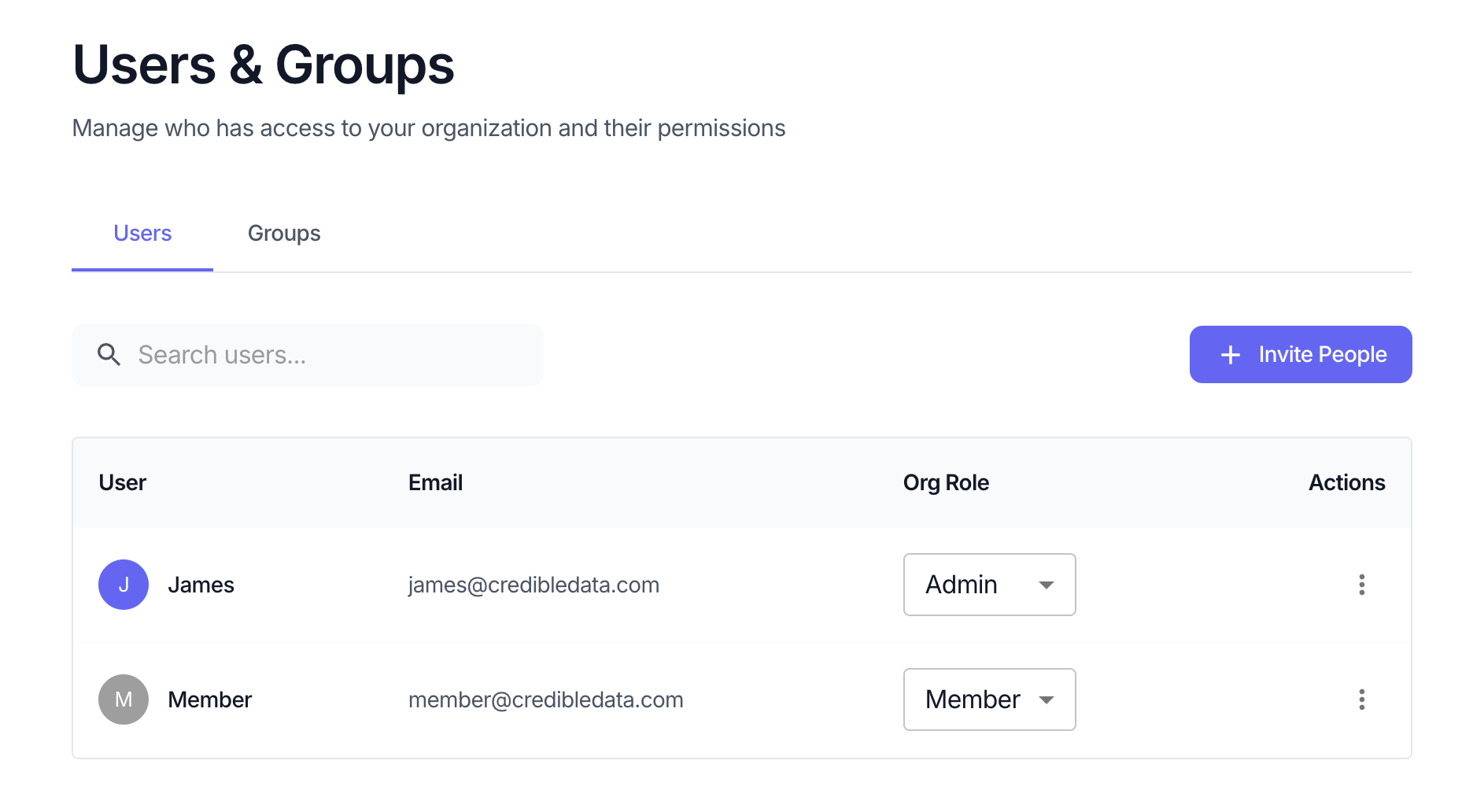
View and manage users in your organization. The Users tab shows all organization members with their email, role, and actions.
 ### Organization Roles
| Role | Access |
| ----------- | ----------------------------------------------------------------------------------------------------------------------------------------------------------------------------------------------------------------------------------------------------- |
| **Admin** | Full access to the Credible App—can create environments, manage connections, and administer users and groups |
| **Modeler** | Can build and publish packages in environments shared with them |
| **Member** | Can access workspaces shared with them in the Credible App—chat with data, view reports and data apps, and explore models. Can also be granted viewer access to specific environments or packages for consumption via the Data API (e.g., MCP access) |
### Granting Access to Environments & Packages
Adding a member to the organization does not automatically grant access to any environments or packages. To grant access:
1. **Share directly**: Navigate to the environment or package, click **Share**, and add the user
2. **Add to a group**: Add the user to a group that already has access to the appropriate environments or packages
Environments contain packages, so granting environment access also grants access to all packages in that environment.
**Recommended approach**: Configure a few groups with the appropriate environment or package access. When a new user joins, add them to the relevant group as a second step after adding them to the organization.
### Actions
* **Invite** - Send an email invitation to add a new user to your organization
* **Edit role** - Change a user's role between Admin and Member
* **Remove** - Remove a user from the organization
## Manage Groups
Groups let you manage permissions for multiple users at once. Instead of granting access to individual users, organize users into groups and grant access to the group.
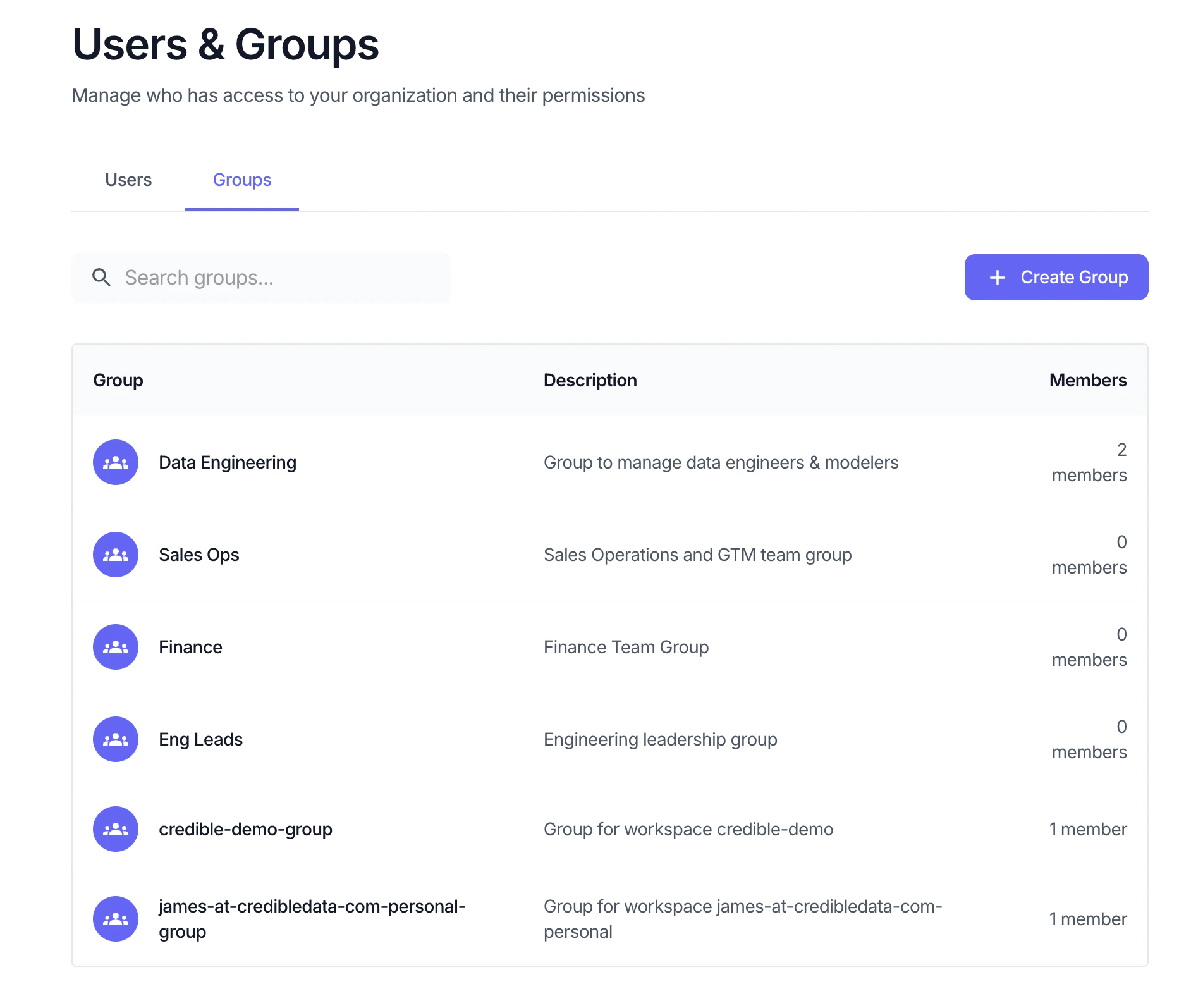
Switch to the **Groups** tab to view and manage groups. Click a group to view its members and manage membership.
### Organization Roles
| Role | Access |
| ----------- | ----------------------------------------------------------------------------------------------------------------------------------------------------------------------------------------------------------------------------------------------------- |
| **Admin** | Full access to the Credible App—can create environments, manage connections, and administer users and groups |
| **Modeler** | Can build and publish packages in environments shared with them |
| **Member** | Can access workspaces shared with them in the Credible App—chat with data, view reports and data apps, and explore models. Can also be granted viewer access to specific environments or packages for consumption via the Data API (e.g., MCP access) |
### Granting Access to Environments & Packages
Adding a member to the organization does not automatically grant access to any environments or packages. To grant access:
1. **Share directly**: Navigate to the environment or package, click **Share**, and add the user
2. **Add to a group**: Add the user to a group that already has access to the appropriate environments or packages
Environments contain packages, so granting environment access also grants access to all packages in that environment.
**Recommended approach**: Configure a few groups with the appropriate environment or package access. When a new user joins, add them to the relevant group as a second step after adding them to the organization.
### Actions
* **Invite** - Send an email invitation to add a new user to your organization
* **Edit role** - Change a user's role between Admin and Member
* **Remove** - Remove a user from the organization
## Manage Groups
Groups let you manage permissions for multiple users at once. Instead of granting access to individual users, organize users into groups and grant access to the group.
Switch to the **Groups** tab to view and manage groups. Click a group to view its members and manage membership.
 ### Group Roles
| Role | Capabilities |
| ---------- | ------------------------------------------------ |
| **Admin** | Can add/remove members and manage group settings |
| **Member** | Inherits the group's access permissions |
### Actions
* **Create Group** - Create a new group with a name and description
* **Add members** - Add users or other groups to a group
* **Remove members** - Remove users or groups from a group
* **Delete Group** - Remove the group (does not affect individual user accounts)
## Sharing Environments & Packages
Grant users or groups access to specific environments or packages.
1. Navigate to the environment or package under **Packages & Connections** in the sidebar
2. Click **Permissions**
3. Add the user or group and select their role
### Environment Roles
| Role | Access |
| ----------- | --------------------------------------------------------------------------------------------------------------------------------------------------------------------------------------- |
| **Admin** | Full environment control—manage connections, packages, and sharing |
| **Modeler** | Build and publish packages in the environment. Modelers can list and use the environment's connections, but cannot see or update connection configurations—credentials stay with admins |
| **Viewer** | View packages and run queries via the Data API (e.g., [MCP tools](/how-to/analyzing/ai-assistants-mcp)) |
Environment viewers automatically get viewer access to all packages in that environment.
### Package Roles
| Role | Access |
| ---------- | ---------------------------------------------------------------------------------------------------- |
| **Viewer** | View and query the package via the Data API (e.g., [MCP tools](/how-to/analyzing/ai-assistants-mcp)) |
## Next Steps
Row and field-level security using Malloy annotations
### Group Roles
| Role | Capabilities |
| ---------- | ------------------------------------------------ |
| **Admin** | Can add/remove members and manage group settings |
| **Member** | Inherits the group's access permissions |
### Actions
* **Create Group** - Create a new group with a name and description
* **Add members** - Add users or other groups to a group
* **Remove members** - Remove users or groups from a group
* **Delete Group** - Remove the group (does not affect individual user accounts)
## Sharing Environments & Packages
Grant users or groups access to specific environments or packages.
1. Navigate to the environment or package under **Packages & Connections** in the sidebar
2. Click **Permissions**
3. Add the user or group and select their role
### Environment Roles
| Role | Access |
| ----------- | --------------------------------------------------------------------------------------------------------------------------------------------------------------------------------------- |
| **Admin** | Full environment control—manage connections, packages, and sharing |
| **Modeler** | Build and publish packages in the environment. Modelers can list and use the environment's connections, but cannot see or update connection configurations—credentials stay with admins |
| **Viewer** | View packages and run queries via the Data API (e.g., [MCP tools](/how-to/analyzing/ai-assistants-mcp)) |
Environment viewers automatically get viewer access to all packages in that environment.
### Package Roles
| Role | Access |
| ---------- | ---------------------------------------------------------------------------------------------------- |
| **Viewer** | View and query the package via the Data API (e.g., [MCP tools](/how-to/analyzing/ai-assistants-mcp)) |
## Next Steps
Row and field-level security using Malloy annotations