> ## Documentation Index
> Fetch the complete documentation index at: https://docs.credibledata.com/llms.txt
> Use this file to discover all available pages before exploring further.
# CI/CD Setup
> Automated package versioning and publishing with GitHub Actions
If you want to manage your semantic model code with Git and automatically publish to Credible when changes are merged, you can set up a CI/CD pipeline using our GitHub Actions template.
## How It Works
When you push changes to your `main` branch:
1. **Detect** - Pipeline identifies which packages changed
2. **Version** - Automatically bumps the patch version in `publisher.json`
3. **Publish** - Deploys packages to your Credible environment
## Prerequisites
* A GitHub repository for your packages
* Admin access to the repository
* A Credible organization and environment
## Setup
### Step 1: Create Repository from Template
1. Go to the [CI/CD template repository](https://github.com/credibledata/credible-cicd-template)
2. Click **"Use this template"** → **"Create a new repository"**
3. Choose your organization and enter a repository name
The template includes all necessary scripts and GitHub Actions workflows.
### Step 2: Configure GitHub App
The CI/CD bot needs a GitHub App to commit version bumps back to your repository.
**Create the App:**
1. Go to your GitHub organization: **Settings** → **Developer settings** → **GitHub Apps** → **New GitHub App**
2. Configure:
* **Name**: `credible-cicd-bot`
* **Webhook**: Uncheck "Active"
* **Repository permissions**: Contents (Read/Write), Pull requests (Read/Write), Metadata (Read)
* **Installation**: "Only on this account"
3. Click **Create GitHub App**
4. Note the **App ID** at the top of the page
5. Scroll to **Private keys** → **Generate a private key** (save the `.pem` file)
6. Go to **Install App** → Install on your repository
### Step 3: Configure Secrets
Go to your repository: **Settings** → **Secrets and variables** → **Actions** → **New repository secret**
| Secret | Value |
| -------------------------- | ----------------------------------- |
| `CICD_BOT_APP_ID` | Your GitHub App ID |
| `CICD_BOT_APP_PRIVATE_KEY` | Contents of the `.pem` file |
| `JWT_ACCESS_TOKEN` | Credible API token (see note below) |
Generate a Credible API token using the CLI: `cred add group-access-token`. See [CLI documentation](/platform-admin/cli#groups) for details.
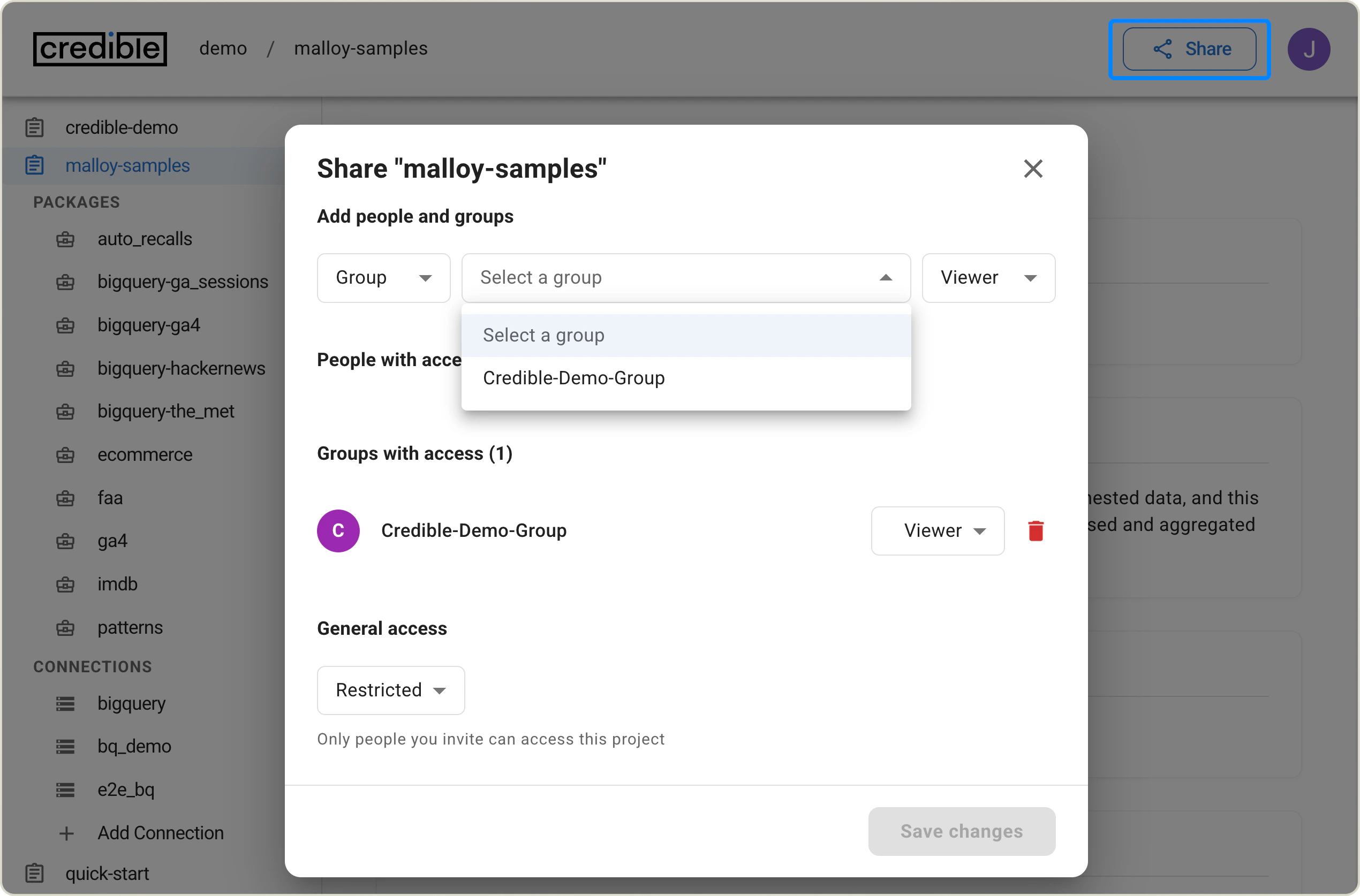
The group used to generate the token needs **Modeler** access to your environment:
 ### Step 4: Configure Variables
Go to: **Settings** → **Secrets and variables** → **Actions** → **Variables**
| Variable | Value |
| -------------- | ------------------------------------------------------------------------------------------------------------ |
| `CRED_ORG` | Your Credible organization name |
| `CRED_PROJECT` | Your Credible environment name (the env var name retains `PROJECT` for backwards compatibility with the CLI) |
| `SET_LATEST` | `true` or `false` (optional, defaults to `true`) |
### Step 5: Configure Branch Protection
1. Go to **Settings** → **Branches** → **Add branch protection rule**
2. Branch name pattern: `main`
3. Enable:
* **Allow specified actors to bypass required pull requests** → Add `credible-cicd-bot`
* **Require status checks to pass before merging**
* **Restrict who can push to matching branches** → Add `credible-cicd-bot`
## Repository Structure
Your repository should follow this structure:
```
your-repo/
├── .github/workflows/ # CI/CD workflows (from template)
├── packages/
│ ├── package-one/
│ │ ├── publisher.json
│ │ └── [your .malloy files]
│ └── package-two/
│ └── ...
└── scripts/ # CI/CD scripts (from template)
```
Each package needs a `publisher.json`:
```json theme={null}
{
"name": "your-package-name",
"version": "0.0.0",
"description": "Package description"
}
```
## Merge Strategy
**Do not use "Squash and merge"** for pull requests that modify packages. Squashing can cause the pipeline to miss package changes. Use **Merge commit** or **Rebase and merge** instead.
## Support
If you encounter issues, check the workflow logs in the GitHub Actions tab. For additional help, [contact us](mailto:support@credibledata.com) with workflow run IDs and error messages.
### Step 4: Configure Variables
Go to: **Settings** → **Secrets and variables** → **Actions** → **Variables**
| Variable | Value |
| -------------- | ------------------------------------------------------------------------------------------------------------ |
| `CRED_ORG` | Your Credible organization name |
| `CRED_PROJECT` | Your Credible environment name (the env var name retains `PROJECT` for backwards compatibility with the CLI) |
| `SET_LATEST` | `true` or `false` (optional, defaults to `true`) |
### Step 5: Configure Branch Protection
1. Go to **Settings** → **Branches** → **Add branch protection rule**
2. Branch name pattern: `main`
3. Enable:
* **Allow specified actors to bypass required pull requests** → Add `credible-cicd-bot`
* **Require status checks to pass before merging**
* **Restrict who can push to matching branches** → Add `credible-cicd-bot`
## Repository Structure
Your repository should follow this structure:
```
your-repo/
├── .github/workflows/ # CI/CD workflows (from template)
├── packages/
│ ├── package-one/
│ │ ├── publisher.json
│ │ └── [your .malloy files]
│ └── package-two/
│ └── ...
└── scripts/ # CI/CD scripts (from template)
```
Each package needs a `publisher.json`:
```json theme={null}
{
"name": "your-package-name",
"version": "0.0.0",
"description": "Package description"
}
```
## Merge Strategy
**Do not use "Squash and merge"** for pull requests that modify packages. Squashing can cause the pipeline to miss package changes. Use **Merge commit** or **Rebase and merge** instead.
## Support
If you encounter issues, check the workflow logs in the GitHub Actions tab. For additional help, [contact us](mailto:support@credibledata.com) with workflow run IDs and error messages.